
plugin 다운로드
https://github.com/isteinbrecher/latex2ai/releases#release-v1.1.0-rc.1
다운로드 할때에는 release 버전으로 받아야 한다.
MikTex 설치
Ghostscript 설치
https://www.ghostscript.com/releases/gsdnld.html
설치 이후에는 프롬프트를 열어서 다음이 잘 실행되는지 확인한다.
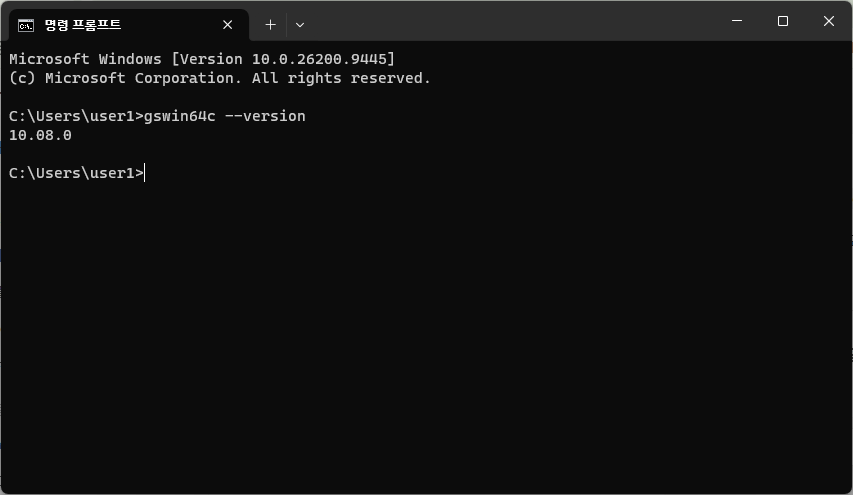
gswin64c --version압축을 모두 해제하면 아래와 같은 디렉토리 구조이다.
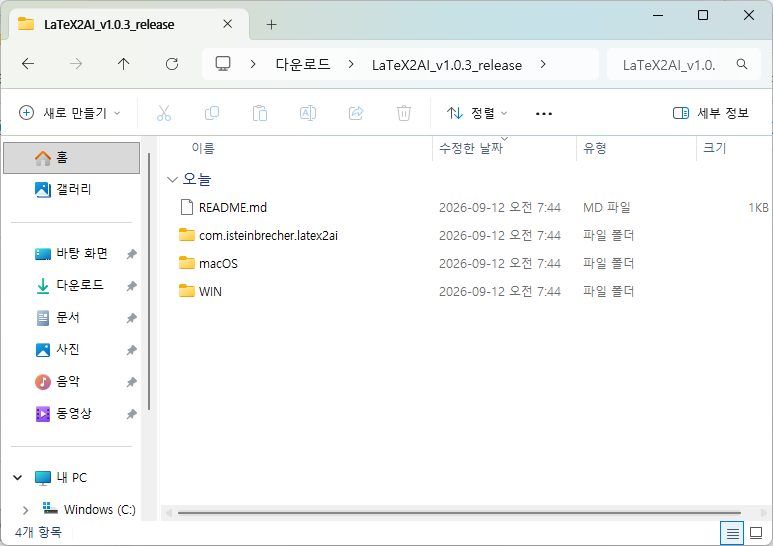
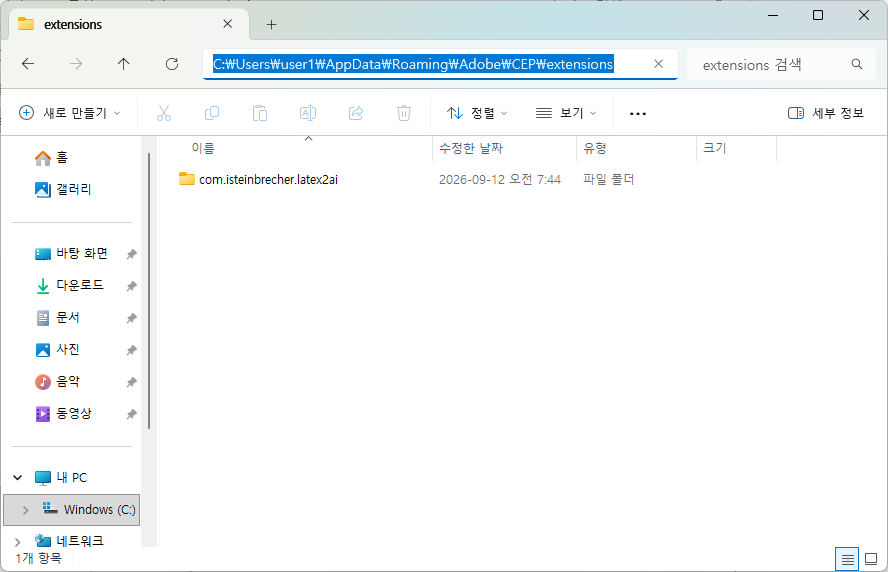
com.isteinbrecher.latex2ai 디렉토리를 아래의 ‘C:\Users\user1\AppData\Roaming\Adobe\CEP\extensions’ 디렉토리로 복사한다.
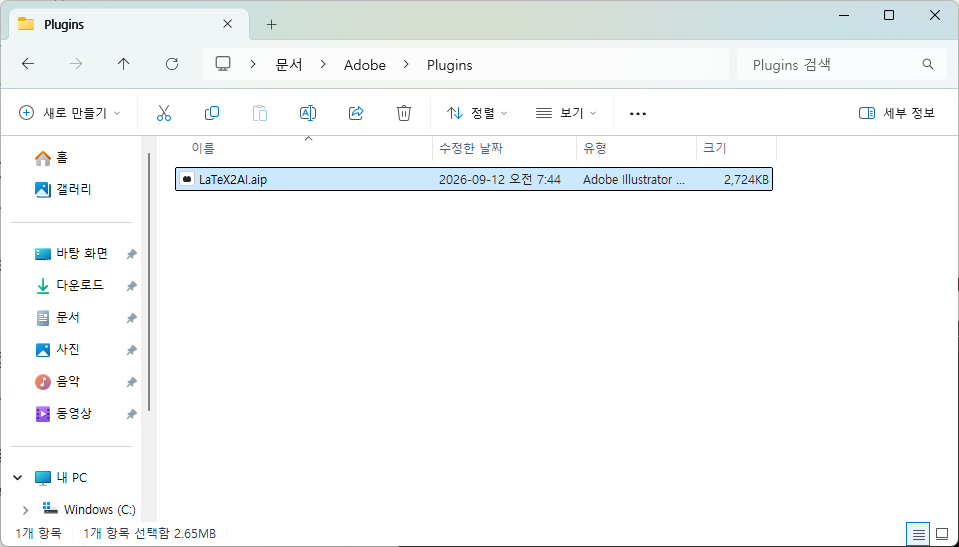
‘LaTeX2AI.aip’ 파일은 아래의 디렉토리를 생성해서 추가로 복사한다.
Mac에서는 출처를 알수 없는 디렉토리가 되기 때문에 아래와 같이 처리해줘야 한다.
xattr -dr com.apple.quarantine "$HOME/Library/Application Support/Adobe/CEP/plugins/LaTeX2AI.aip"확인 방법은 ?
xattr -l "$HOME/Library/Application Support/Adobe/CEP/plugins"일러스트레이터에서는 아래와 같이 설정한다.
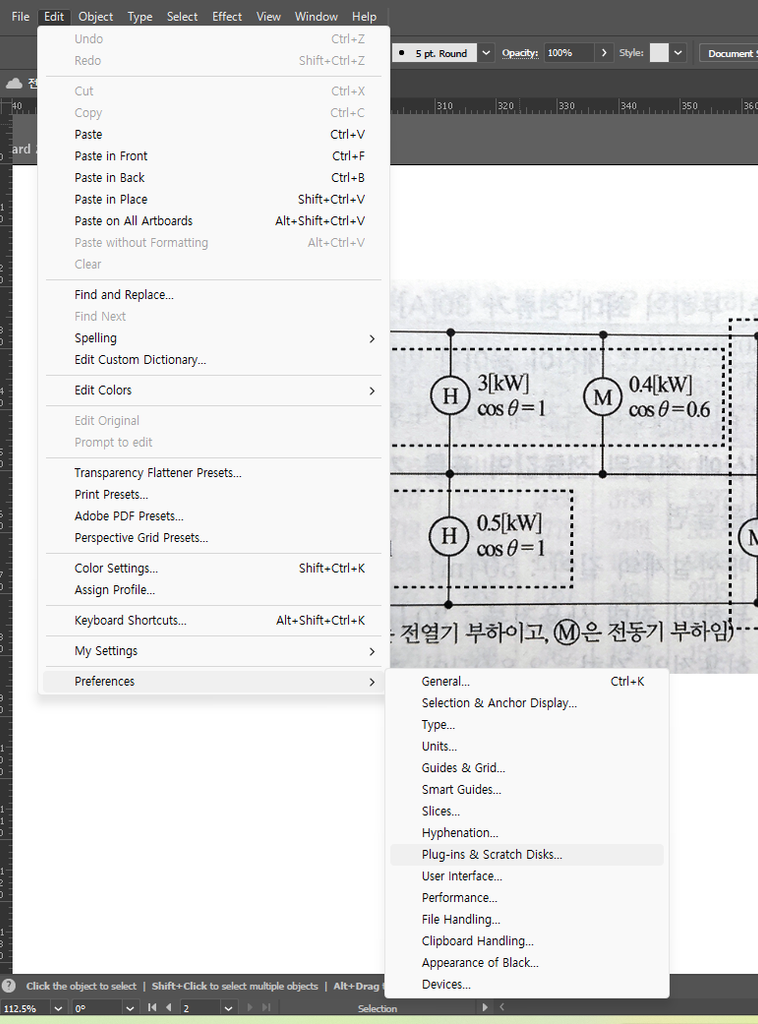
Plugin-ins & Scratch Disks.. 에서
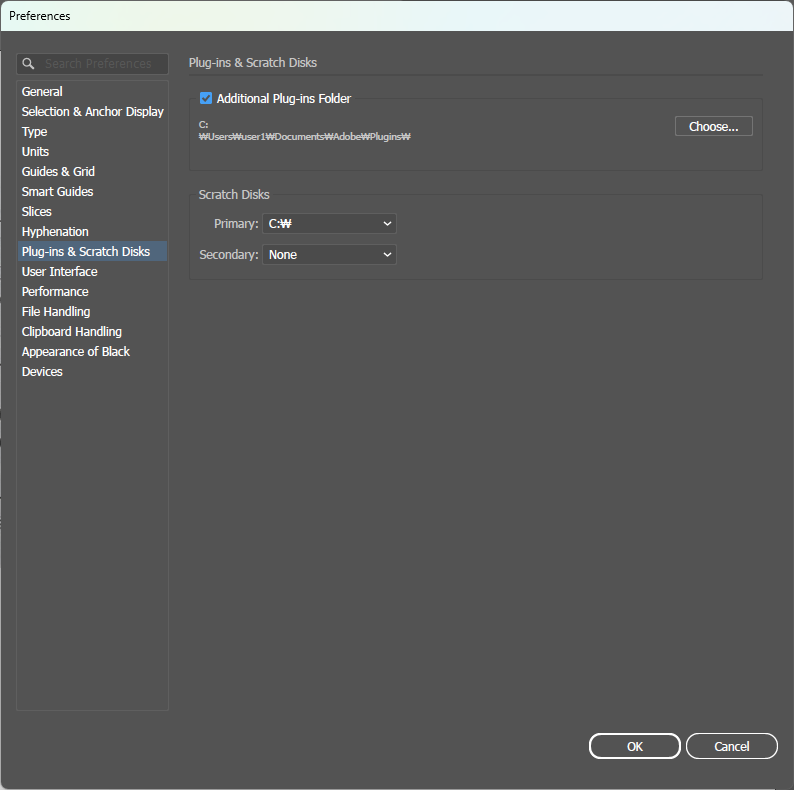
내가 생성하고 ‘LaTeX2AI.aip’ 파일을 복사해둔 Plugins 디렉토리를 추가로 설정해준다.
그리고 illustrator 재기동.
Latex plugin을 사용하려면 cloud 파일은 사용할 수 없다.
만약 한글을 입력하고 싶다면 아래처럼 설정해야 함.
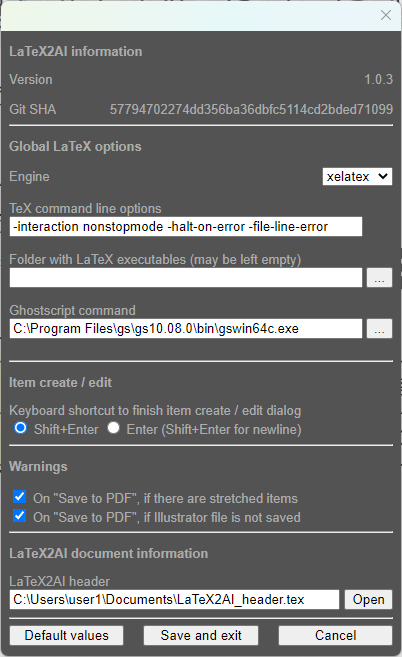
% -----------------------------------------------------------------------------
% MIT License
%
% Copyright (c) 2020-2025 Ivo Steinbrecher
%
% Permission is hereby granted, free of charge, to any person obtaining a copy
% of this software and associated documentation files (the "Software"), to deal
% in the Software without restriction, including without limitation the rights
% to use, copy, modify, merge, publish, distribute, sublicense, and/or sell
% copies of the Software, and to permit persons to whom the Software is
% furnished to do so, subject to the following conditions:
%
% The above copyright notice and this permission notice shall be included in
% all copies or substantial portions of the Software.
%
% THE SOFTWARE IS PROVIDED "AS IS", WITHOUT WARRANTY OF ANY KIND, EXPRESS OR
% IMPLIED, INCLUDING BUT NOT LIMITED TO THE WARRANTIES OF MERCHANTABILITY,
% FITNESS FOR A PARTICULAR PURPOSE AND NONINFRINGEMENT. IN NO EVENT SHALL THE
% AUTHORS OR COPYRIGHT HOLDERS BE LIABLE FOR ANY CLAIM, DAMAGES OR OTHER
% LIABILITY, WHETHER IN AN ACTION OF CONTRACT, TORT OR OTHERWISE, ARISING FROM,
% OUT OF OR IN CONNECTION WITH THE SOFTWARE OR THE USE OR OTHER DEALINGS IN THE
% SOFTWARE.
% -----------------------------------------------------------------------------

% The document class `standalone` MAY NOT BE CHANGED!
% With the `class` option, the `standalone` class can be based on anther document class
% (the default base class for LaTeX2AI is `scrartcl`).
\documentclass[class=scrartcl]{standalone}

% Set the default font size
\KOMAoptions{fontsize=14pt}

% All LaTeX2AI items can be scaled using this variable. This variable HAS to be defined (default 1)
\newcommand{\itemscalefactor}{1}

% --------------------------------------------------
% Math
% --------------------------------------------------
\usepackage{amsmath}
\usepackage{amssymb}
\usepackage{amsfonts}

% --------------------------------------------------
% Unicode / Korean
% --------------------------------------------------
\usepackage{fontspec}
\usepackage{xeCJK}

%\setmainfont{Noto Sans KR}
%\setCJKmainfont{Noto Sans KR}
%\setmainfont{나눔손글씨 성실체}
\setmainfont{KoPubWorldBatang_Pro}
\setCJKmainfont{KoPubWorldBatang_Pro}

%\usepackage{capt-of}   % 반드시 capt-of (caption 아님!)
\usepackage{tabularray}
\usepackage{circuitikz}
\usepackage{tikz}
\usetikzlibrary{matrix}
\usepackage{graphicx}
\usepackage{float}
\usepackage{titlesec} %
%\usepackage{enumitem}

\usepackage{tcolorbox}
\usepackage{tabularx}
\usepackage{xparse}

\usepackage{fontspec}
\usepackage{polyglossia}

\everymath{\boldmath}